Japan Earthquakesby iMobSoft

EARTHQUAKE INFORMATION LITE

Japan earthquake
reports and maps.

Check when and where earthquakes occurred and how strong they were.
View nearby public cameras and find evacuation sites.

For iPhone, iPad & Android

View features
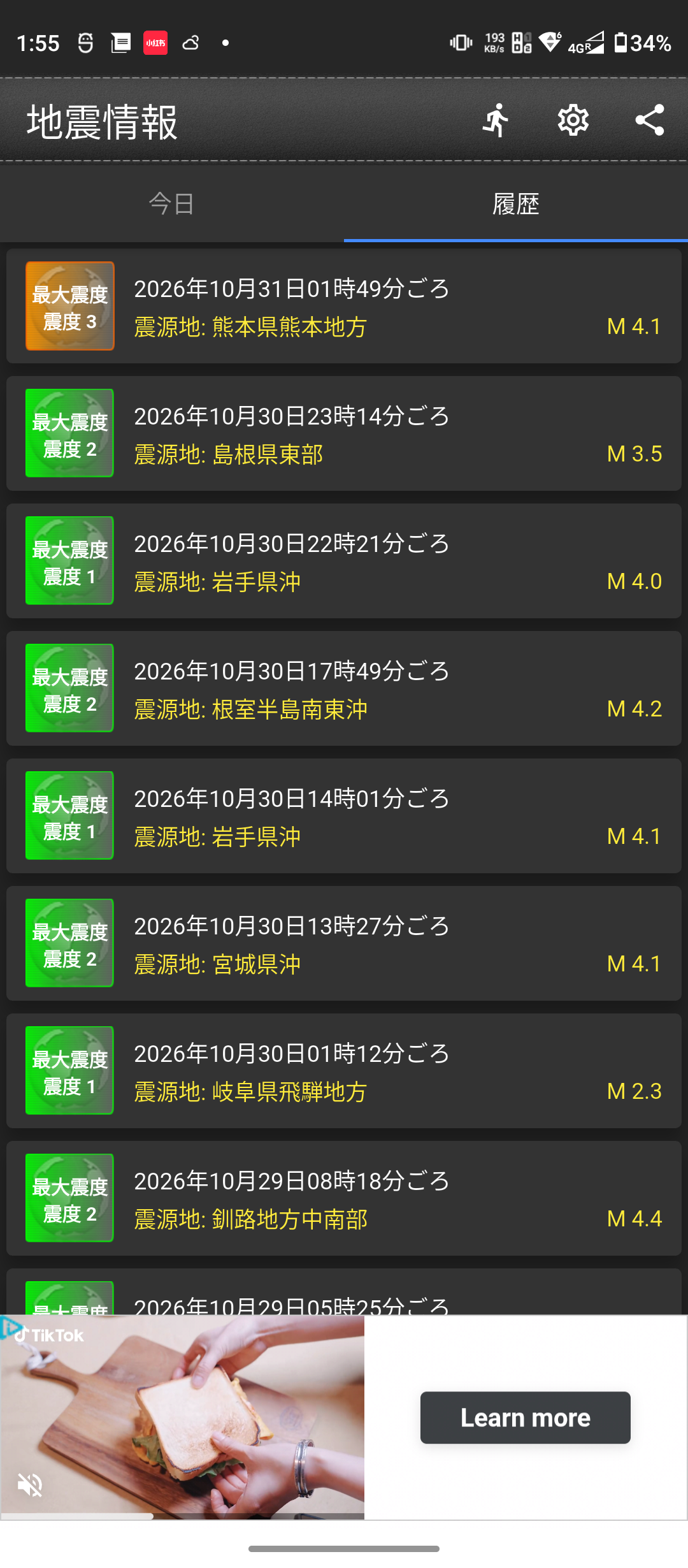
Earthquake reports color coded by seismic intensity
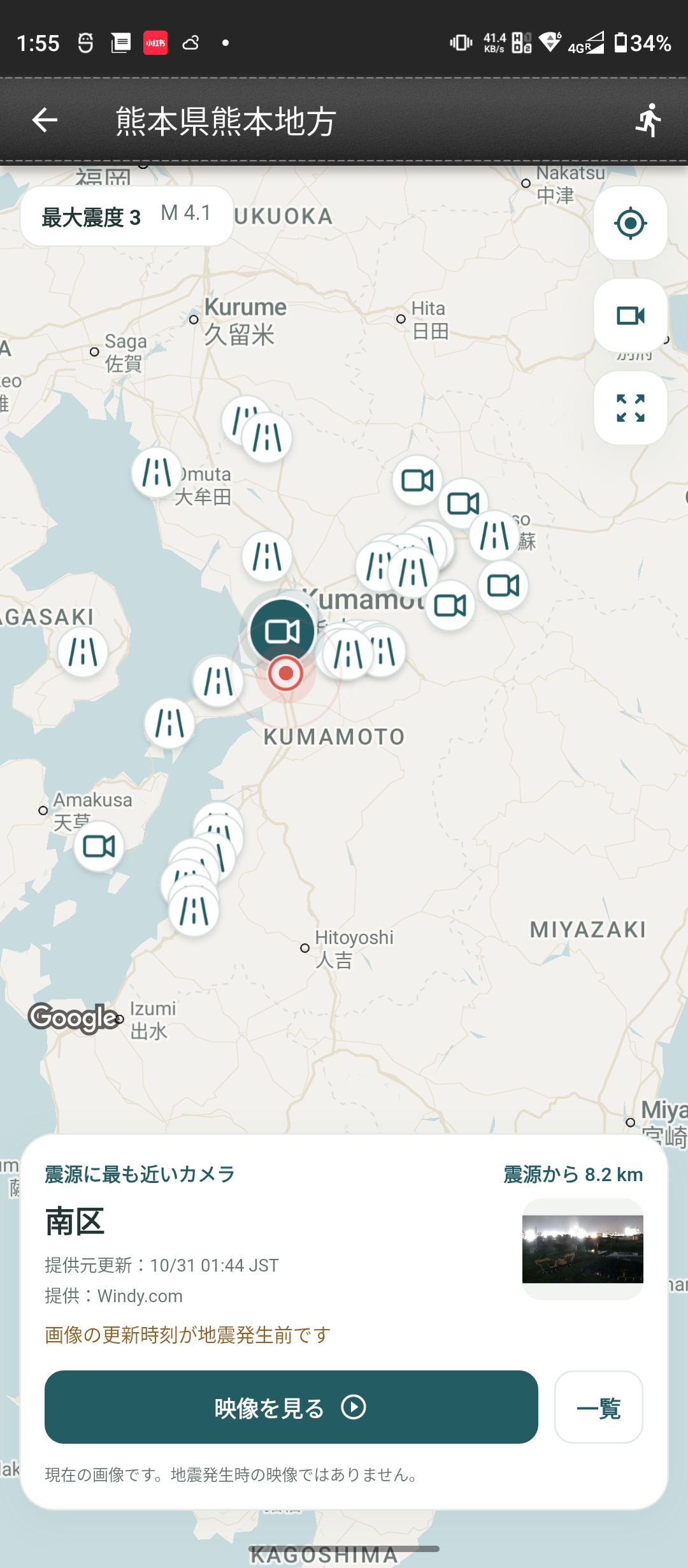
Map with the earthquake epicenter and nearby public cameras
Earthquake reports and nearby cameras
01EarthquakesReports & details 02CamerasMaps & imagery 03Evacuation sitesNear you or the epicenter

iPhone Duo

The list and details,
side by side.

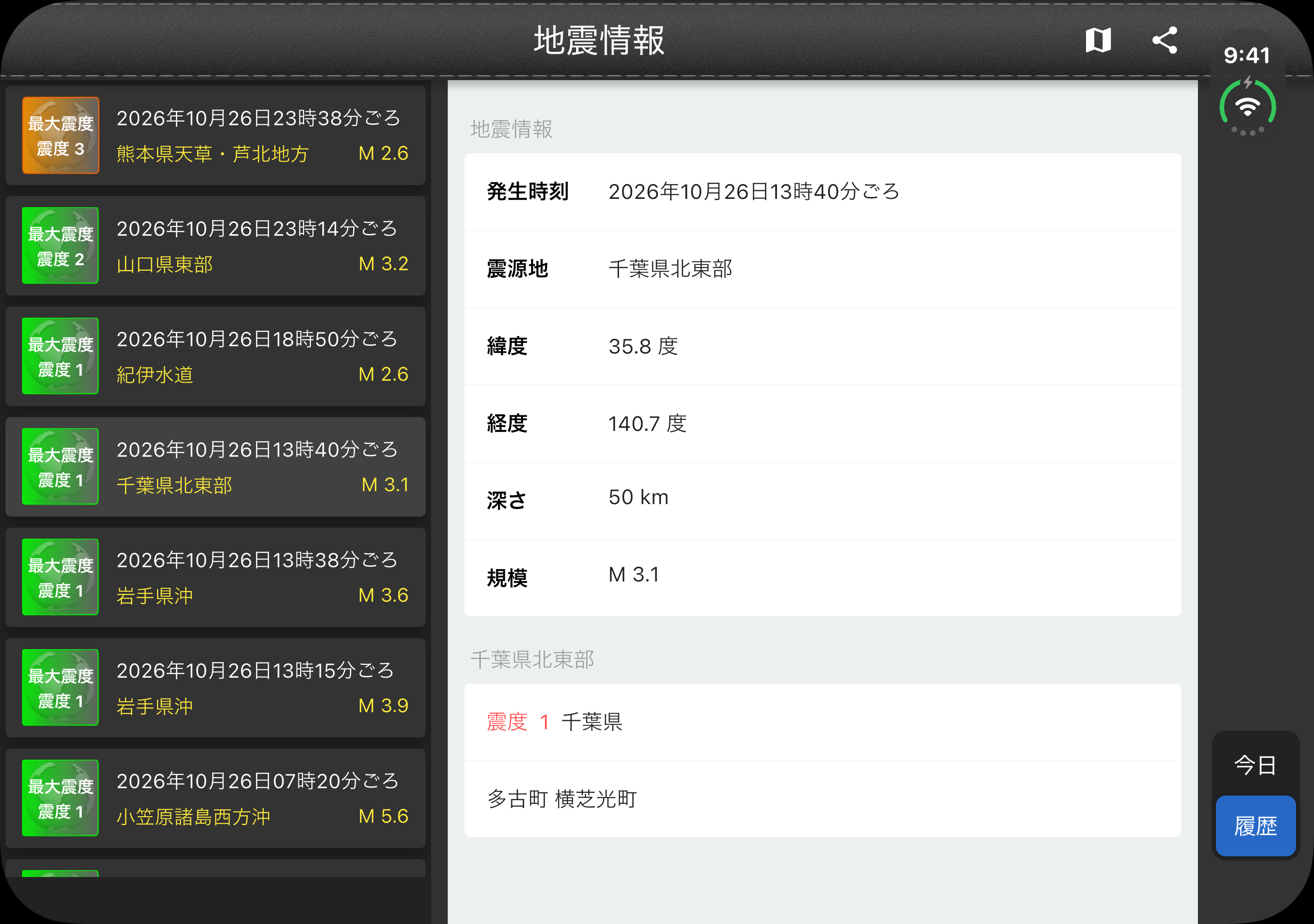
On the expanded iPhone Duo display, choosing a report updates the details beside the list.

Expanded iPhone Duo showing the earthquake list beside the selected earthquake’s details
iOS app screen example · Illustrative device frame

APP FEATURES

Reports, cameras
and evacuation sites.

Select an earthquake to see its details
and check the surrounding area.

Today’s reports
and past earthquakes.

Check the time, epicenter, magnitude and maximum seismic intensity. Switch between Today and History, then tap a report for details.

  • Recognize seismic intensity by color
  • Check depth and intensity by region
  • Locate the epicenter on a map

Earthquake information is based on Japan Meteorological Agency announcements.

Earthquake history in the Android app
Android app screen examples

CAMERAS & EVACUATION SITES

For home, family
and travel.

Check a familiar area or look up evacuation sites at your destination.

PUBLIC CAMERAS NEAR THE EPICENTER

Check local streets
and roads.

If an earthquake occurs near family or a travel destination, use nearby public cameras to see the area around the epicenter.

  • See where cameras are relative to the epicenter
  • View Windy, YouTube Live and MLIT sources
  • Choose a camera from the map or list

These are not recordings of the earthquake. Update times and availability depend on the provider.

View camera features

DESIGNATED EMERGENCY EVACUATION SITES

Find evacuation sites
before you travel.

Look up designated emergency evacuation sites near home or at your destination. From an earthquake’s details, you can also search around its epicenter.

  • Search near you or near the epicenter
  • Filter for earthquake or tsunami suitability
  • Get directions from your current location

A listing does not guarantee a site is open or a route is safe. Check the latest local government guidance.

View evacuation search

HOW TO USE

Start with
an earthquake report.

Select a report to see the epicenter and local seismic intensities. Open the map to find nearby cameras and evacuation sites.

Choose a report from Today or History
Open the epicenter map from its details
Find nearby cameras and evacuation sites

FAQ

Frequently asked questions

Is it available for both iPhone and Android?

Yes. Check the App Store or Google Play listing for supported operating systems and available features.

What’s the difference between magnitude and intensity?

Magnitude measures the size of an earthquake itself. Seismic intensity describes the strength of shaking at a particular location. Intensity can vary with distance from the epicenter and local ground conditions.

Do the cameras show footage from the earthquake?

The cameras show publicly available imagery and streams, not recordings of the earthquake. Images may predate the event, and some cameras may be unavailable.

What should I know about evacuation sites?

A listed site may not be open, and its route may not be safe. Follow current local government information and on-site guidance.

DOWNLOAD

Get Earthquake
Information Lite.

For iPhone, iPad and Android.

Screens and features vary by version and device.